Review in a few steps
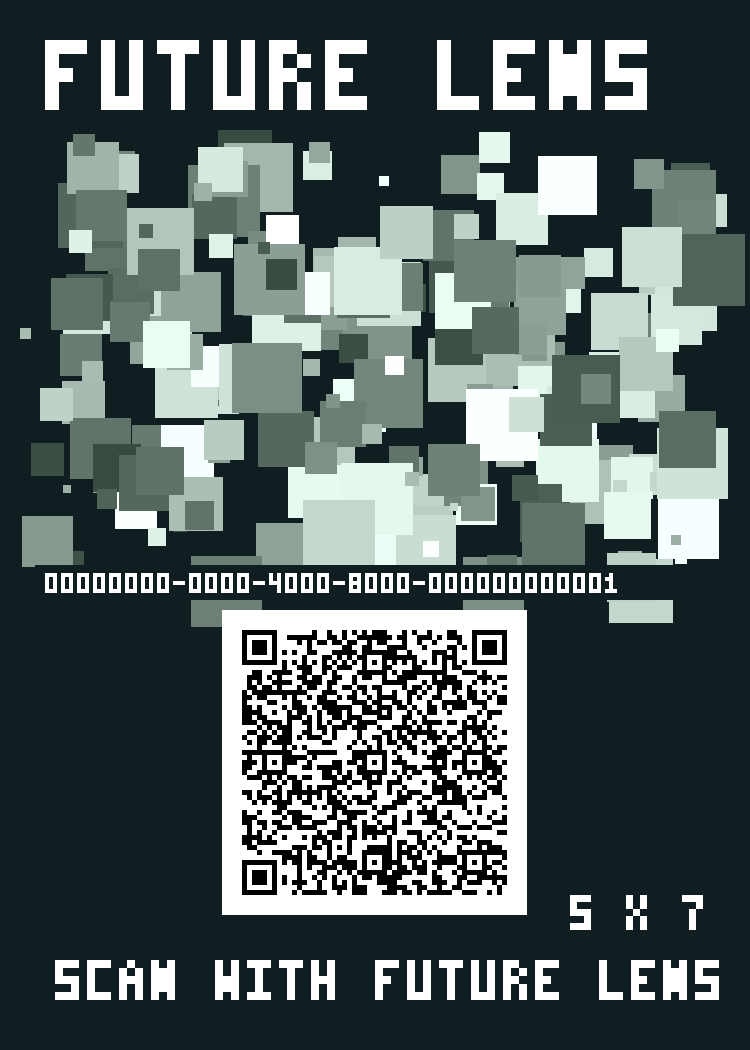
- On a computer, open this page and print the complete card below at 5 × 7 inches (12.7 × 17.78 cm), 100% scale. Turn off “Fit to page.” Keep the border and pattern; do not crop to the QR square.
- Lay the printed card flat on a table in good light.
- Open Future Lens on a supported iPhone or iPad. On the viewer welcome screen, tap Try offline dollhouse demo. Allow camera access when prompted.
- Point the camera at the entire printed card and move slowly until the image is recognized.
- The expected result is a small furnished example room above the card. Move around it to inspect the AR content, then try the size and rotation controls.
Alternate entry: tap Scan QR inside Future Lens, scan the card, then tap View Dollhouse. Scanning in the iPhone Camera app opens this instruction page instead.
If the room does not appear
Keep the whole card visible, reduce glare and camera motion, and check print size. If camera access was denied, enable it for Future Lens in iOS Settings, then reopen the app. The QR identifies the demo; the complete patterned card is the image-tracking target.
What is included
The example room and tracking image are bundled in the app. Internet is needed to open this page, but not to run the offline demo after you have printed the card. Location permission and a Future Lens account are not required for this demo. Real venue experiences use separate online content and location-specific AR alignment.